
1.21.0
December 6, 2025⚡ “Unleashing Power: The Ultimate Update for Streamlined Equipment Documentation!”
We’re excited to bring you one of our most feature-rich releases yet. This update focuses on giving you more flexibility in how you document your equipment—from linking related assets together as systems, to capturing non-refrigerated equipment, to streamlining how you upload photos and documents in the field. Let’s dive in.
New Features
Non-Refrigerated Asset Support
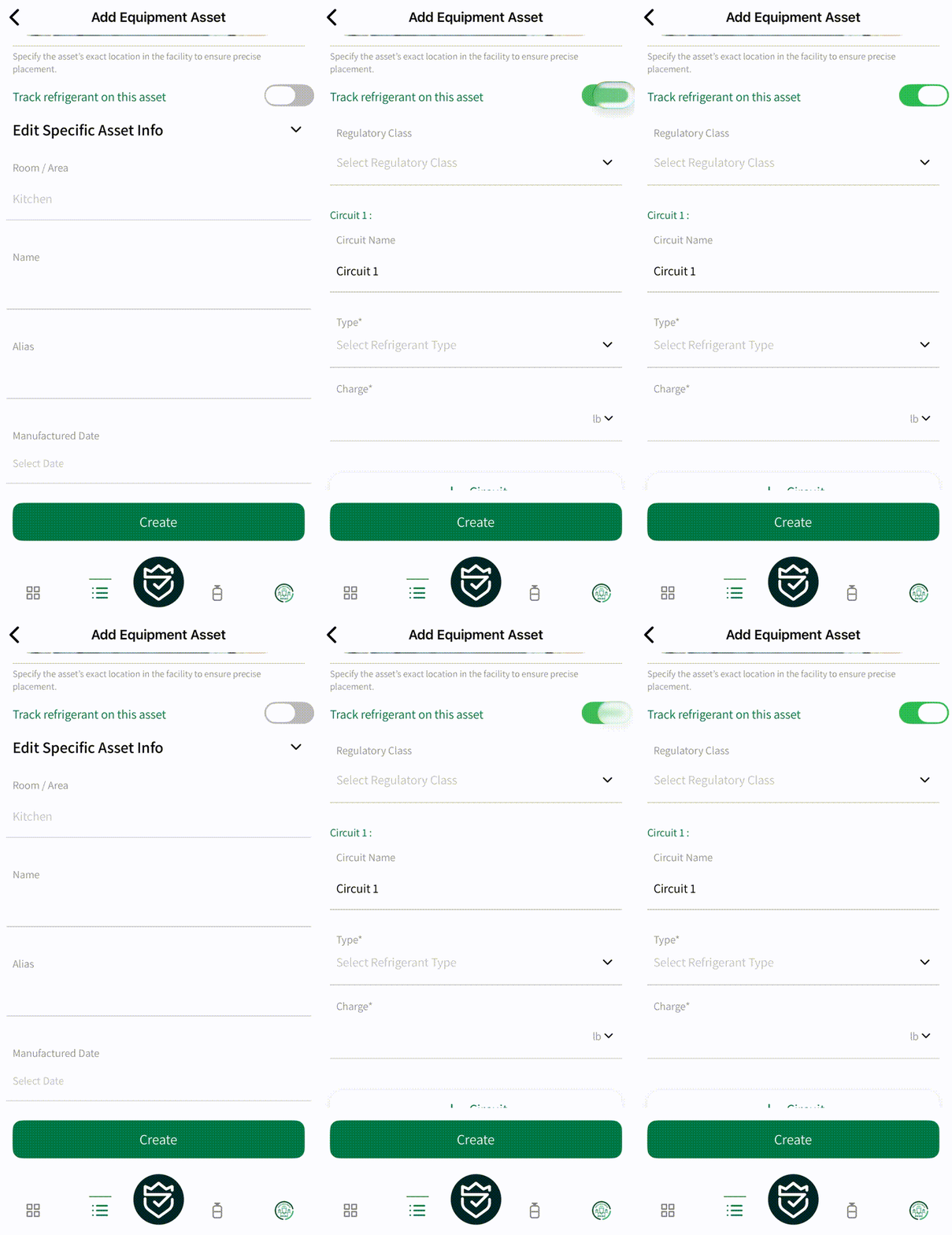
Not all equipment contains refrigerant, and now FMHero recognizes that. When creating assets like generators, air handlers, or exhaust fans, you can disable the “Track refrigerant on this asset” toggle to skip refrigerant-related fields entirely. This keeps your records clean and accurate without workarounds like entering zero for refrigerant weight.
Equipment Systems & Components
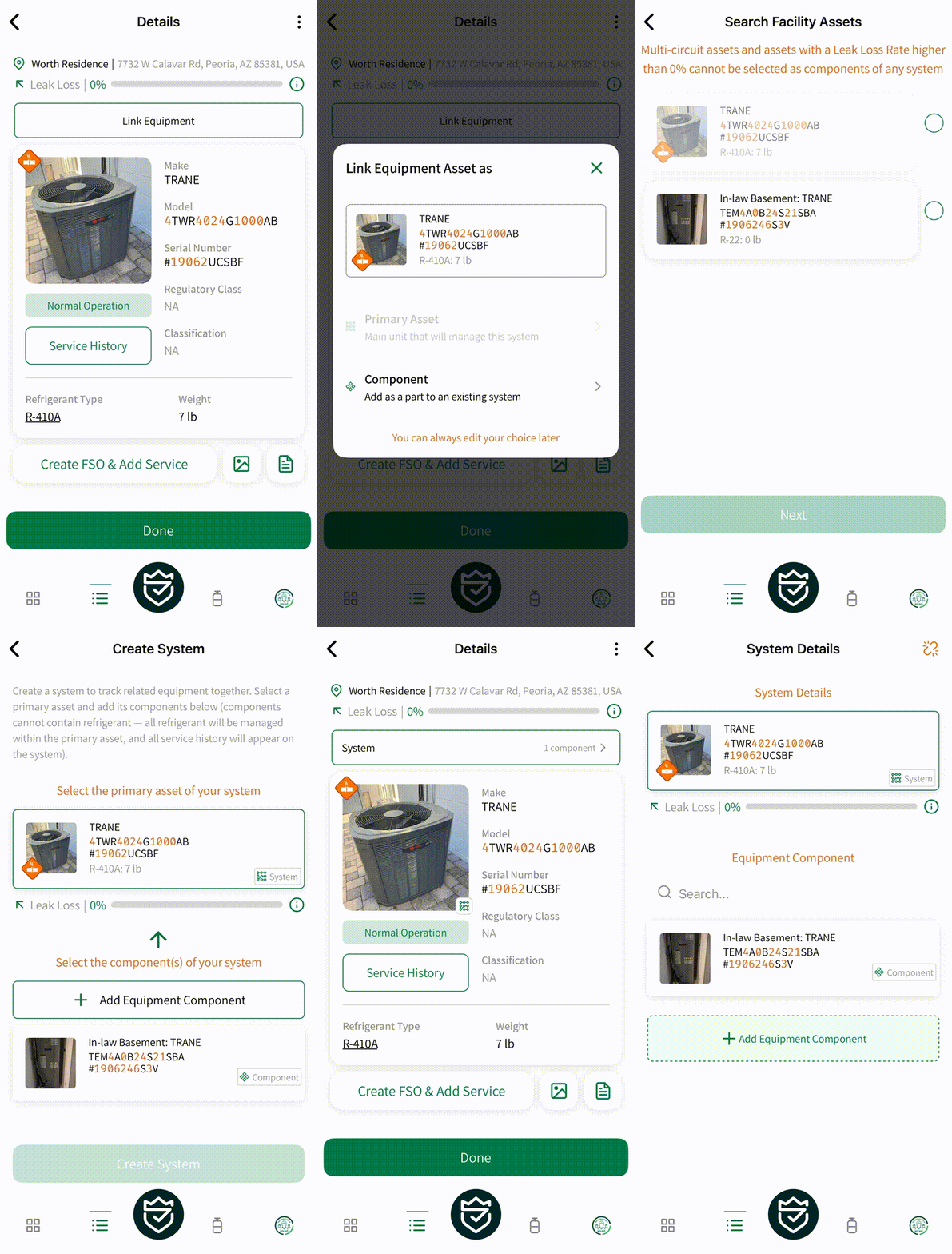
You can now link related equipment together to reflect how your systems actually work in the field. Connect air handlers, cases, and other components to their parent compressors, racks, or VRF units. When you link equipment as a component, refrigerant management stays with the parent system while you maintain full visibility into what’s connected to what. Components can be unlinked at any time if configurations change.
Note: once an asset is linked as a component (child) it is considered a non-refrigerated asset and any associated refrigerant is now managed by the system (parent)
Asset Document Management
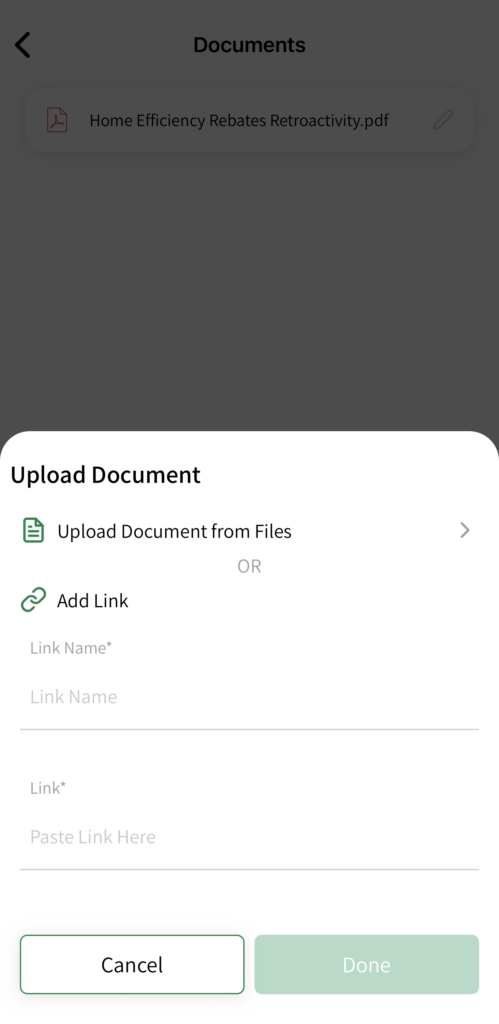
Upload more than just PDFs to your equipment records. You can now attach Word documents, spreadsheets, and other common file types to assets. Give each document a custom name so your team can quickly find manuals, installation specs, or engineering drawings. You can also add links to external resources that display alongside your uploaded files.
Improved Media Capture & Labeling
Capturing multiple photos during site surveys or service calls just got faster. Select multiple images from your gallery in one step, or take several photos in rapid succession without returning to the asset screen after each one. A new setting lets you automatically save every photo taken in FMHero to your device’s gallery. You can also add labels to uploaded media to keep your documentation organized.
Required Notes for Commodity Adjustments
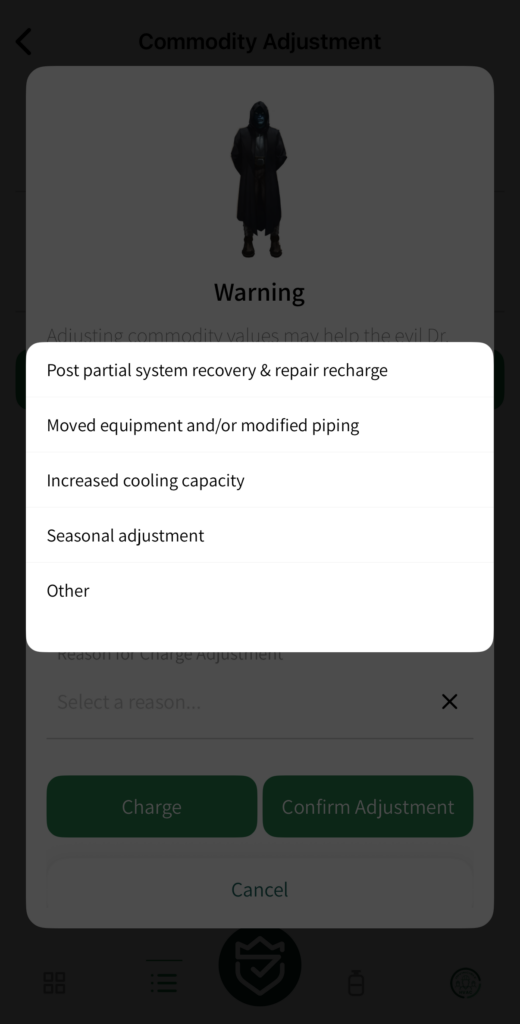
When you adjust field charge values during a service, FMHero now requires a reason for the commodity adjustment. Select from common scenarios like seasonal adjustment, post-repair recharge, or capacity changes—or provide your own explanation. This helps maintain the documentation trail that equipment owners and regulators expect.
Precise Location Field Updates
The asset location editor has been refined with an improved interface for selecting and placing equipment on facility maps. Setting precise asset positions is now more intuitive whether you’re documenting a new installation or updating an existing record.
Circuit Deletion Warning
Deleting a circuit on multi-circuit equipment now prompts you to confirm refrigerant has been properly recovered. This added friction helps prevent accidental data loss and ensures your records stay aligned with what’s actually happening in the field.
Mark All Notifications as Read
Back from vacation with a full notification inbox? A new “Mark All as Read” button lets you clear your notifications in one tap instead of opening each one individually.
Bug Fixes & Improvements
- Fixed dashboard gamification stats not displaying correctly
- Resolved issue where location was missing when creating assets from the nearby facility modal
- Fixed serial number validation triggering unexpectedly during asset creation
- Added loading indicator to FSO submission button
- Corrected profile completion percentage calculation
- Fixed Android 15 compatibility issues
- Resolved crash when viewing comments on FSOs with missing service types
As always, we appreciate you trusting FMHero to keep your equipment and compliance records in order. If you have questions about any of these features or run into issues, reach out to our support team. Your feedback continues to shape what we build next.