
1.30.0
September 25, 2026Every piece of equipment you service can now carry a code. You can link FMHero QR stickers, or the barcodes already on your units and cylinders, to the asset in FMHero. After that, one scan opens the asset, with no searching by serial number, address or facility.
New Features
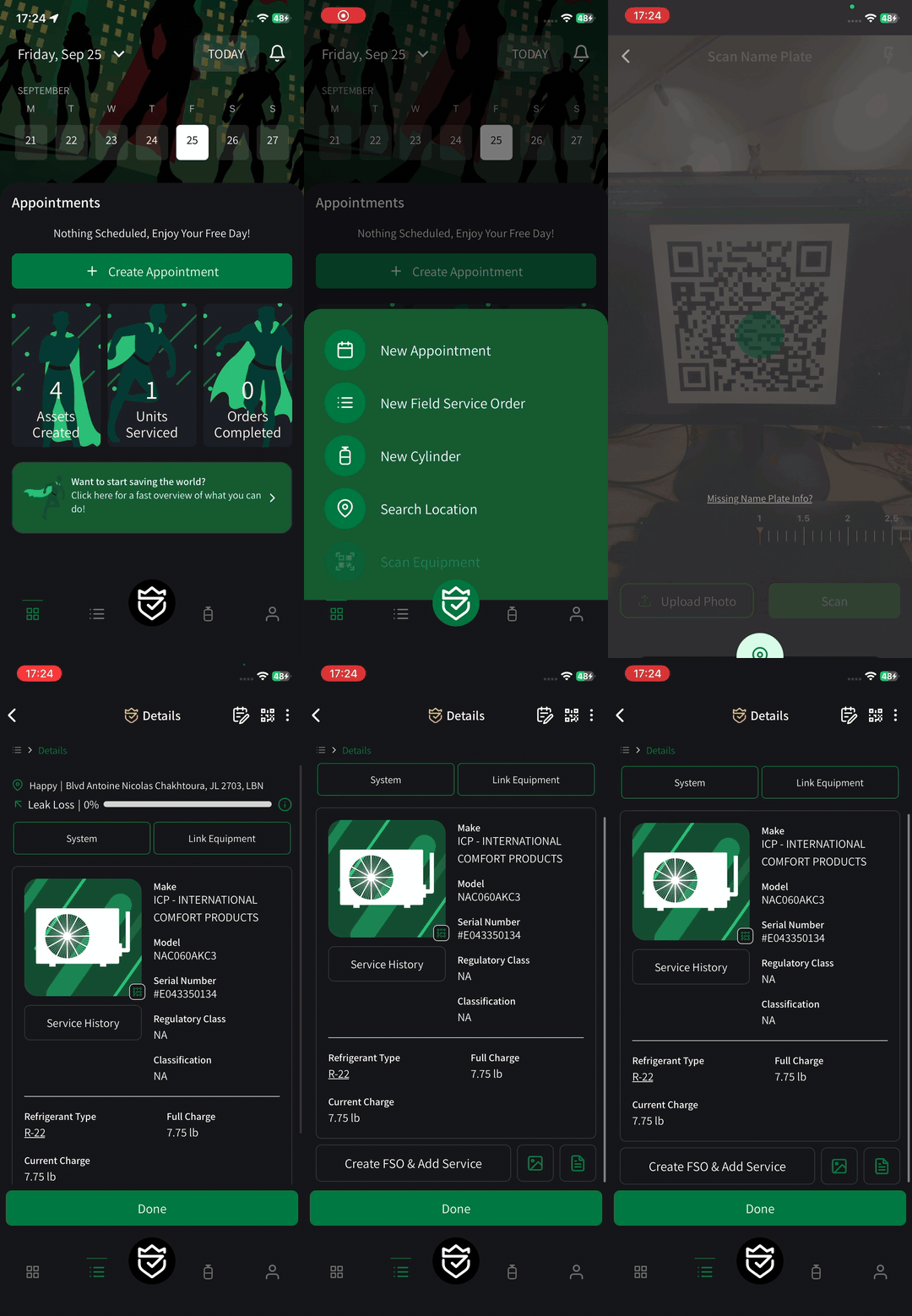
Scan a Code, Open the Asset
You can now link codes to equipment assets and refrigerant cylinders. When you scan a linked code with the FMHero scanner, the asset opens directly.
FMHero Codes: you can link FMHero-issued QR stickers to any asset in seconds.
Barcodes already on the unit: the barcodes that came on your equipment and cylinders can be linked too. Supported formats are QR, Code 128, Code 39, Code 93, EAN-8, EAN-13, UPC-A, UPC-E, ITF, Data Matrix, PDF417, Aztec and Codabar.
Your phone’s camera works too: pointing your phone’s regular camera at an FMHero sticker opens the asset in the app.
Linked Codes on Every Asset
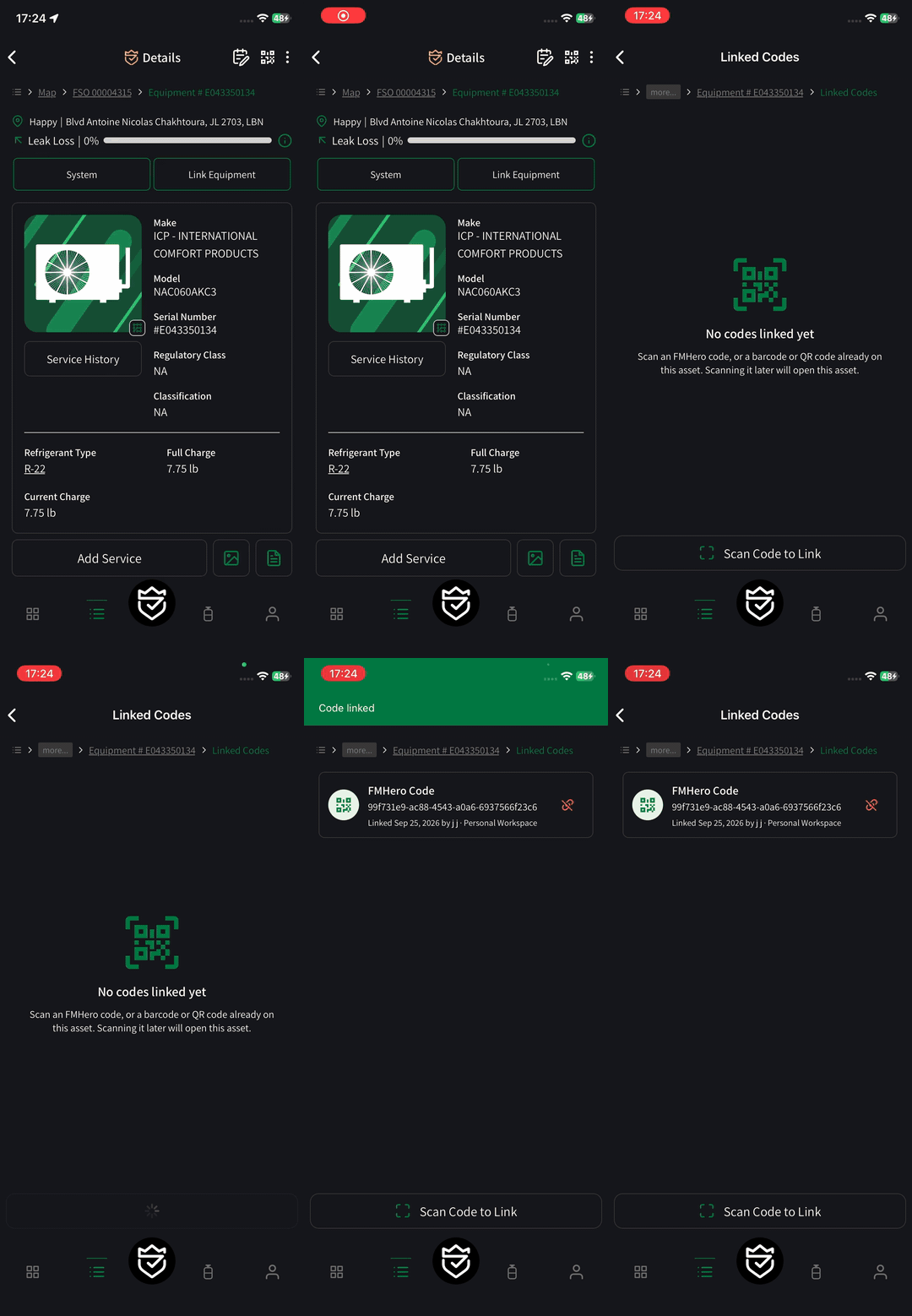
Equipment and cylinder screens have a new QR button in the header. It opens every code linked to that asset, with its type, format, and who linked it and when.
Linking: tap to link, then scan the code. It appears at the top of the list right away.
Already in use: if a code is already linked to a different asset, FMHero tells you and lets you open that asset.
Unlinking: the team who linked a code can unlink it and link it again later.
Summary
Finding the right asset is now as fast as scanning it. Put codes on your equipment and cylinders, link them once, and every technician on your team gets to the asset in one step. If a scan doesn’t do what you expect, tell us.
ONWARD AND UPWARD