1.23.0
February 4, 2026This release is about knowing who’s behind the work and trusting what you see. We’re introducing a full Contact Management system so you can finally organize the people connected to your customers and service relationships. Data Quality Badges now show you exactly where every record came from—whether captured in the field, entered manually, or imported—so your compliance shield has the transparency it deserves. We’ve also streamlined how technician companies are captured on FSOs, made it easier to grow your service provider network through push notification invitations, and refined the UI across dozens of touchpoints. Let’s get into it.
New Features
Contact Management

Organize the people behind your service relationships. Create and manage contacts at the team level, link them to customers (company or residential), and track which FSOs each contact is associated with. Multiple phone numbers and emails per contact—because real-world relationships aren’t one-dimensional.
Data Quality Badges
Know your data’s pedigree at a glance. Every equipment asset and FSO now displays source-level tagging:
- Gold — Captured via Mobile App
- Silver — Manual Entry
- Bronze — Imported
Tap any badge to learn what it means. Service history entries now carry these tags too, so you can trace the quality of every record in your compliance shield.

Service Provider Invitations
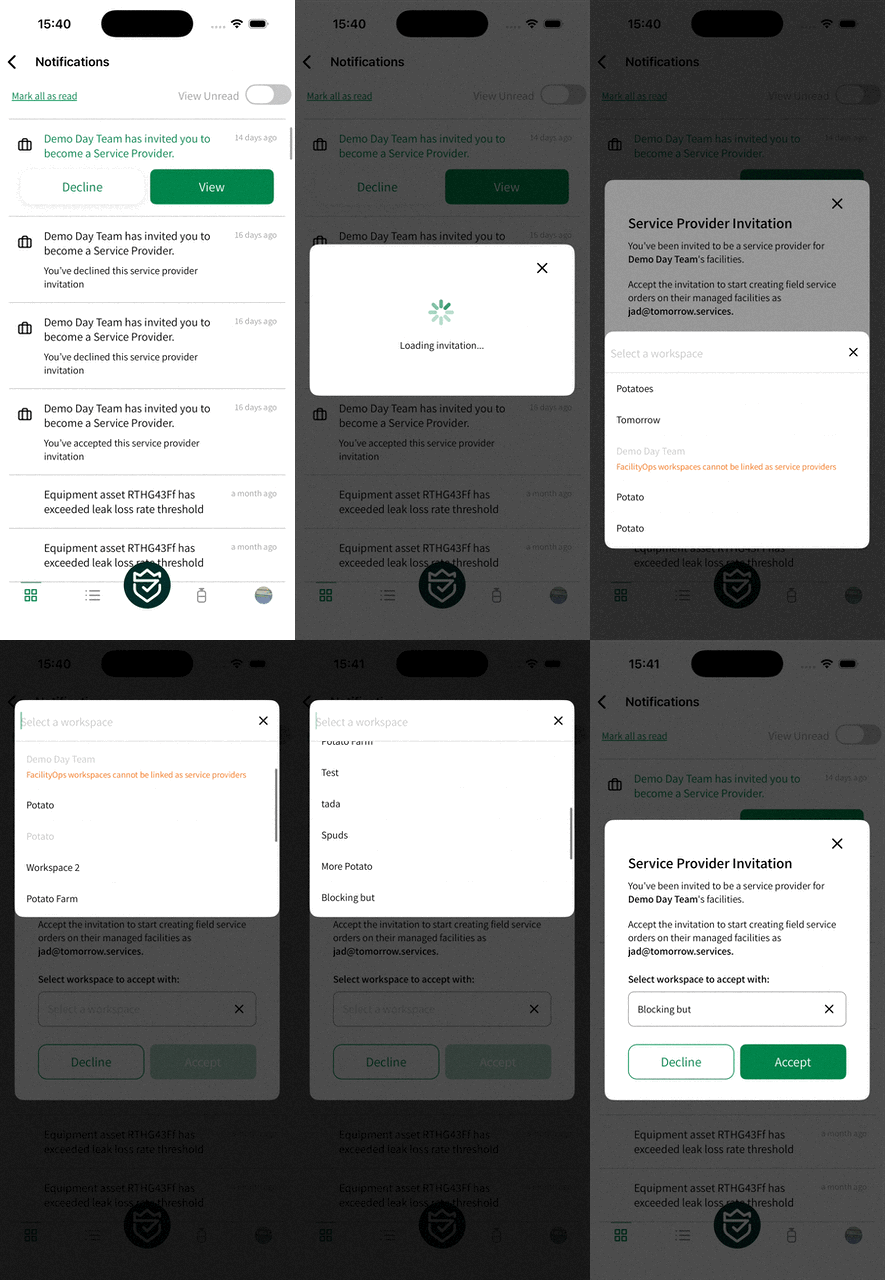
When a Facility Owner wants you on their team, you’ll know immediately. Push notifications now alert you to service provider invitations the moment they’re sent, with deep linking that takes you straight to the invitation details.
The invitation modal shows you exactly who’s reaching out—the inviting team’s name and logo—along with what accepting means: you’ll gain access to create field service orders on their managed facilities and equipment. Select which workspace you want to accept with, then tap Accept or Decline. No back-and-forth emails, no manual setup. One tap and you’re in.
This is how your service network grows—facility by facility, relationship by relationship—all managed from within the app.
Technician Company Field
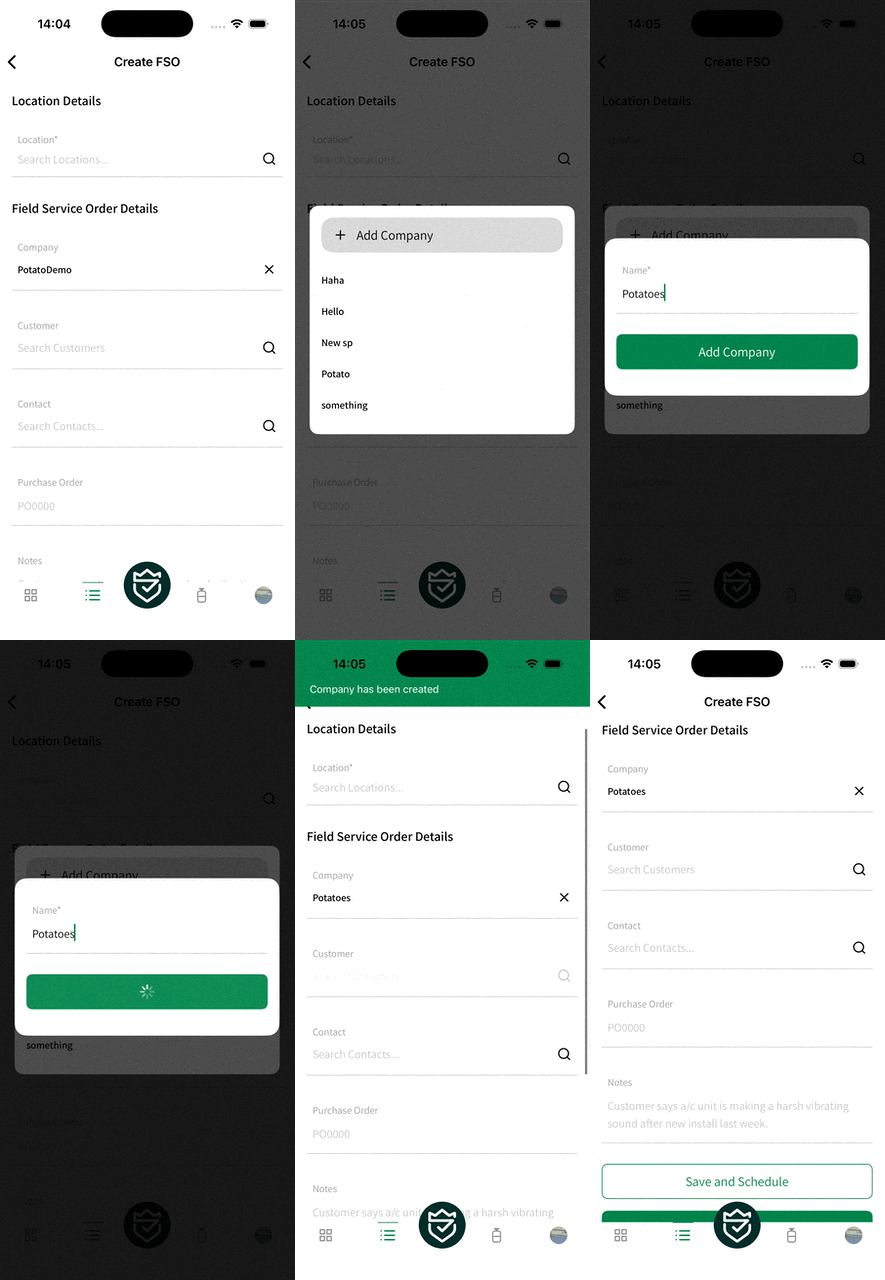
We’ve streamlined how you capture who did the work. The legacy service provider system is replaced with a simple company name field on FSOs, complete with autocomplete from your history.
Improvements
- Asset service and leak rate history loads more reliably
- Map filter and favorites icons now display consistently
- Nameplate images appear where they should on asset details
- Serviced asset modals match the equipment asset screen flow
- Addresses on iOS now open in your preferred map app—not just Apple Maps
- Calendar strip, buttons, swipeables, filter icons, and cards all refined
- Fresh subsystem icons
- New Simlock avatar replaces the old empty state character
- Streamlined onboarding (hero story walkthrough removed)
Thank you for being part of this mission. More superpowers incoming.
ONWARD & UPWARD